Creating a dynamic and personalized fashion store that automatically curates the selections based on your inspirations and taste.
My Contribution
I took over the UX/UI design role after the initial draft of the wireframe. With a tight timeline, I spearheaded the design process from wireframe to high-fidelity prototype. I also created the logo and branding elements for the site. I collaborated closely with developers to work on the implementation of the design.
Following the completion of the first working prototype, I conducted user study to create the second iteration of ScopeStyle.
My Role
UX/UI Designer
Timeline
Jun. 2020 - Sept. 2020
Team
CEO, Marketing Team, Developers
Tools
Figma, Adobe XD, Adobe Illustrator
Problem
Business Opportunity: create a B2C product that leveraged the company's unique AI products to capitalize on the growing e-commerce market during the pandemic
In the beginning of the pandemic, we saw a huge rise in e-commerce sales due to everyone being forced to stay home. A lot of companies such as Shopify or other drop shipping sites have capitalized on this opportunity to grow their business functions. Similarly, ScopeMedia saw this as a great opportunity to introduce an e-commerce product that utilized the company's existing fashion AI technologies to create an unique drop-shipping store.
User Problem: How might we provide a personalized shopping experience for young adult women to easily discover items similar to their unique style?
Shopping for clothes can be extremely time-consuming. Consumers often have some understanding of the style or "vibe" they are going for but still need to browse the catalogue endlessly to find what they are looking for. Can we make this process more convenient and personalized for the consumer?
Solution
2 Months
8/10
>1000
AI Visual Search
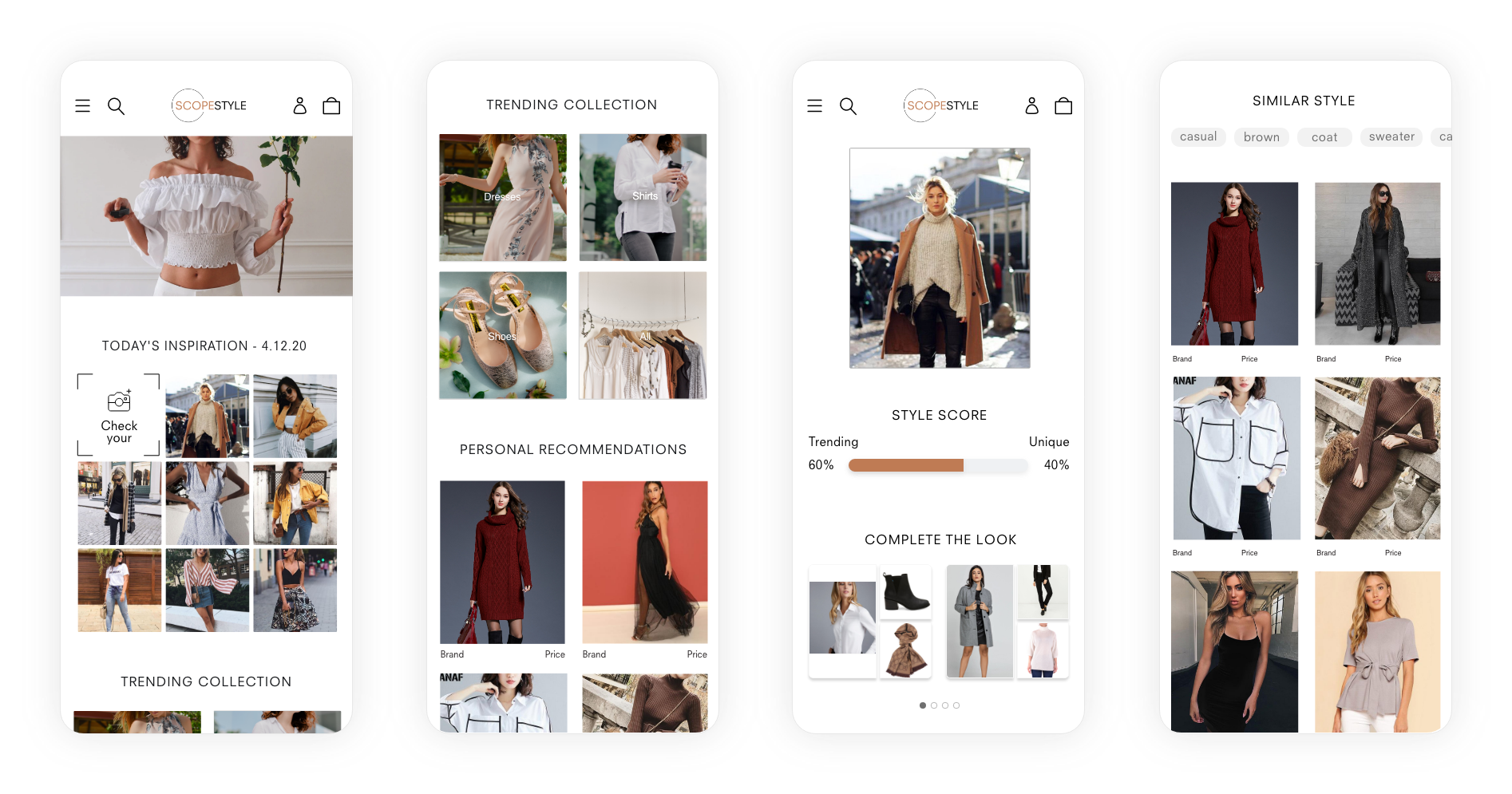
Allow users to use pictures to identify styles, evaluate trend score, complete the look, and find similar products.
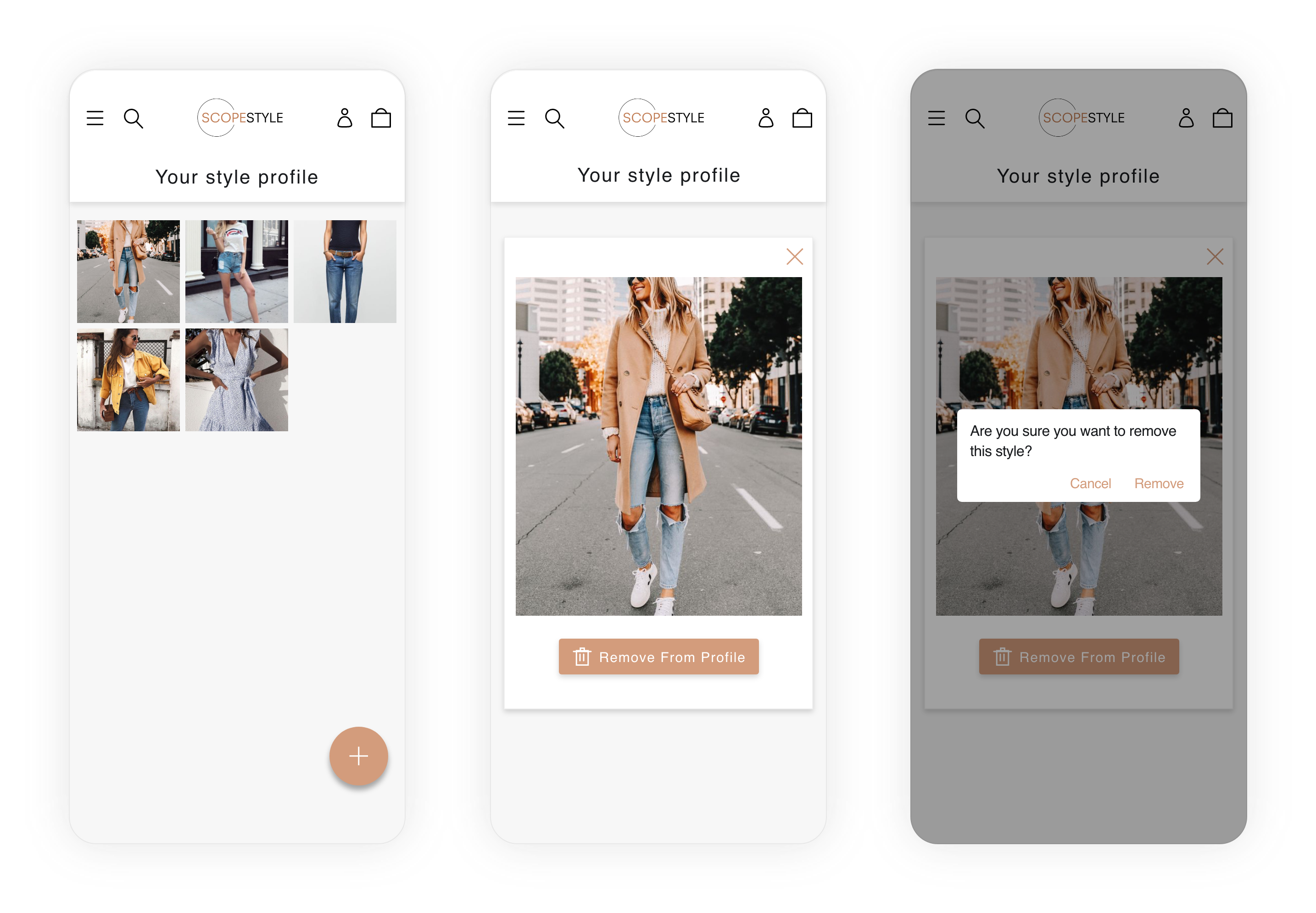
Your Style Profile
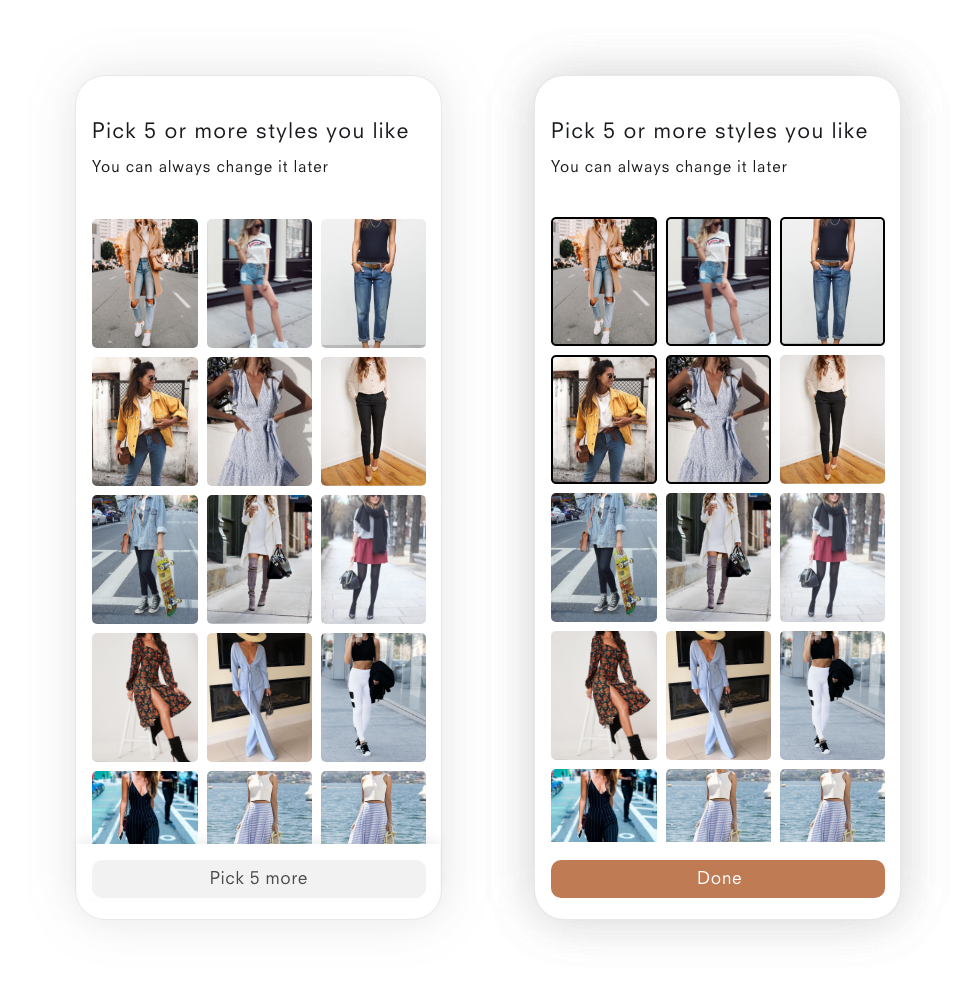
Describe your fashion taste through text and pictures to curate the store.
Product Page
Learn more about the product and quickly discover other products.
OUR APPROACH
⏰ 0 to 1 in 2 Months
We wanted to capitalize on the rise of e-commerce during covid. For this reason, we had an extremely tight timeline which forced me to learn how to work lean and fast. With the majority of online shopping done on mobile, we decided to take a mobile-first design approach.
Wireframe
Low-fidelity prototype used to communicate interactions and user flow.
Prototype
High-fidelity prototype used to communicate aesthetics, branding elements, and layout.
Evaluate
Minimum viable working prototype is tested with usability testing and survey.
Revise
User feedbacks are analyzed and translated into the revised design.
USER PERSONA
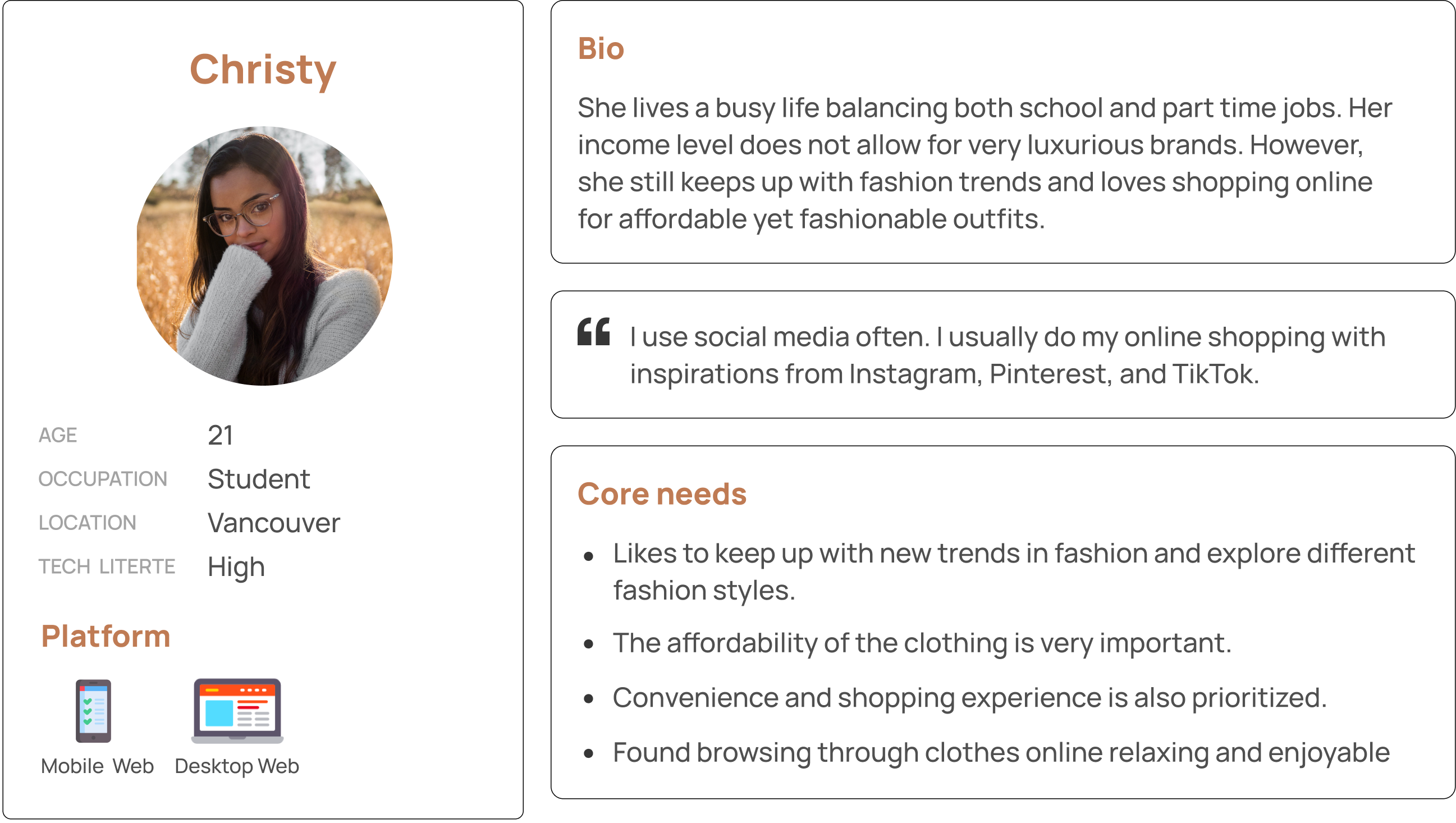
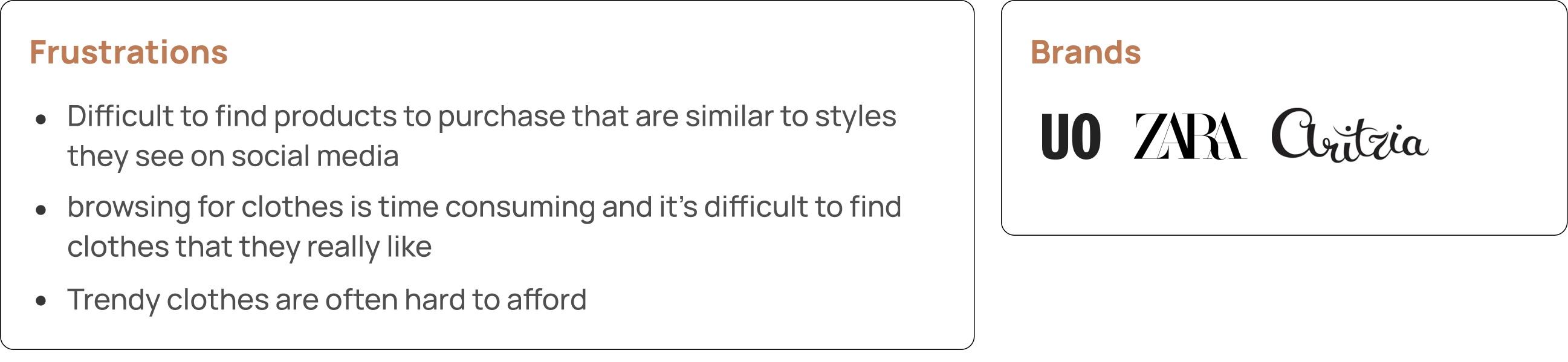
To better guide our design and marketing efforts. We created a user persona based on internal user research, market research, and our business goals.
DESIGN
Value Proposition & Features
The goal of the store is to utilize Visual AI technologies to create a uniquely personalized store that emphasizes fashion trends. After discussions with the CEO and consideration of the user persona, we decided on the following core features.
Pain Point: finding products similar to inspirations from social media

Allow users to upload pictures of outfits to easily find similar style clothing in store
Display daily trendy styles from sources such as social media or trending brands
Core Need: an enjoyable browsing experience

Provide personalized recommendations based on browsing behaviour and user styling profile.
Core Need: keep up a trendy inventory

Quantify fashion trends which can be further used to score outfits and filter store inventory
Starting With Whiteboarding to Align the Vision With Stakeholders


Using Wireframe to Evaluate Feasibility with Developers
After brainstorming with low-fi sketches, we first created a mid-fidelity wireframe to communicate the user flow and features to the whole team including developers. This helped us gather feedback on feasibility and also provided further clarification to begin the initial implementation of the website.
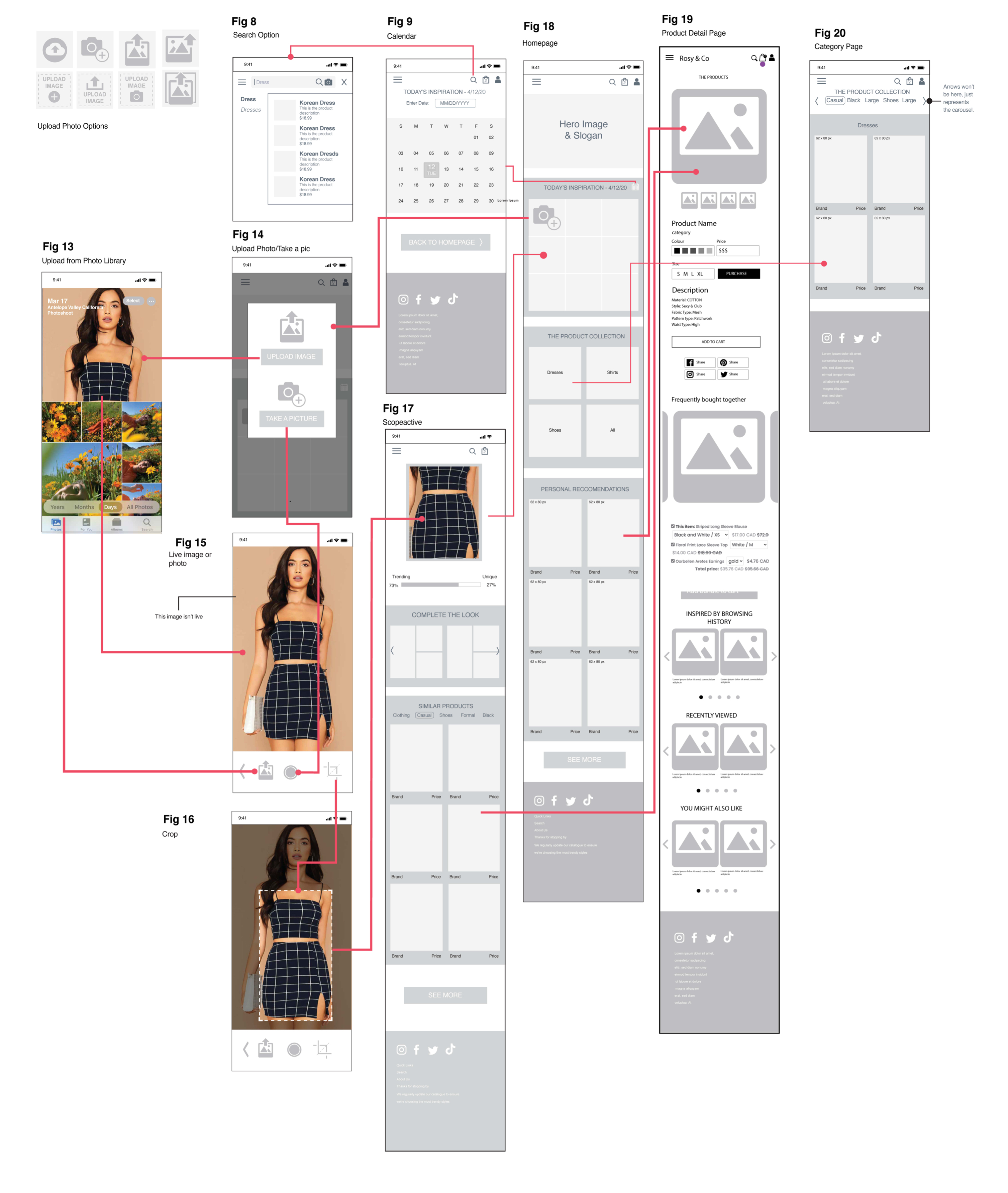
Attribution: this wireframe was mainly designed by the previous designer where I only served a role of reviewing, editing, and providing feedback.
🚨 Shifting Responsibilities: Taking Over as the Lead Designer
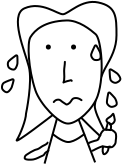
Scared -> Embracing the New Challenge
Due to certain circumstances, the lead designer left the company. I took this opportunity and created some work to demonstrate to the CEO that I can take on their responsibilities. Although I certainly had my fair share of self-doubt and fear, I shifted my perspective to view this as an amazing opportunity to challenge myself and grow as a designer.
To catch up and prepare, I worked hard to up-skill myself by learning from online resources and seeking mentorship from other solo designers.
Creating Higher-Fidelity Prototype to Define the Visual language
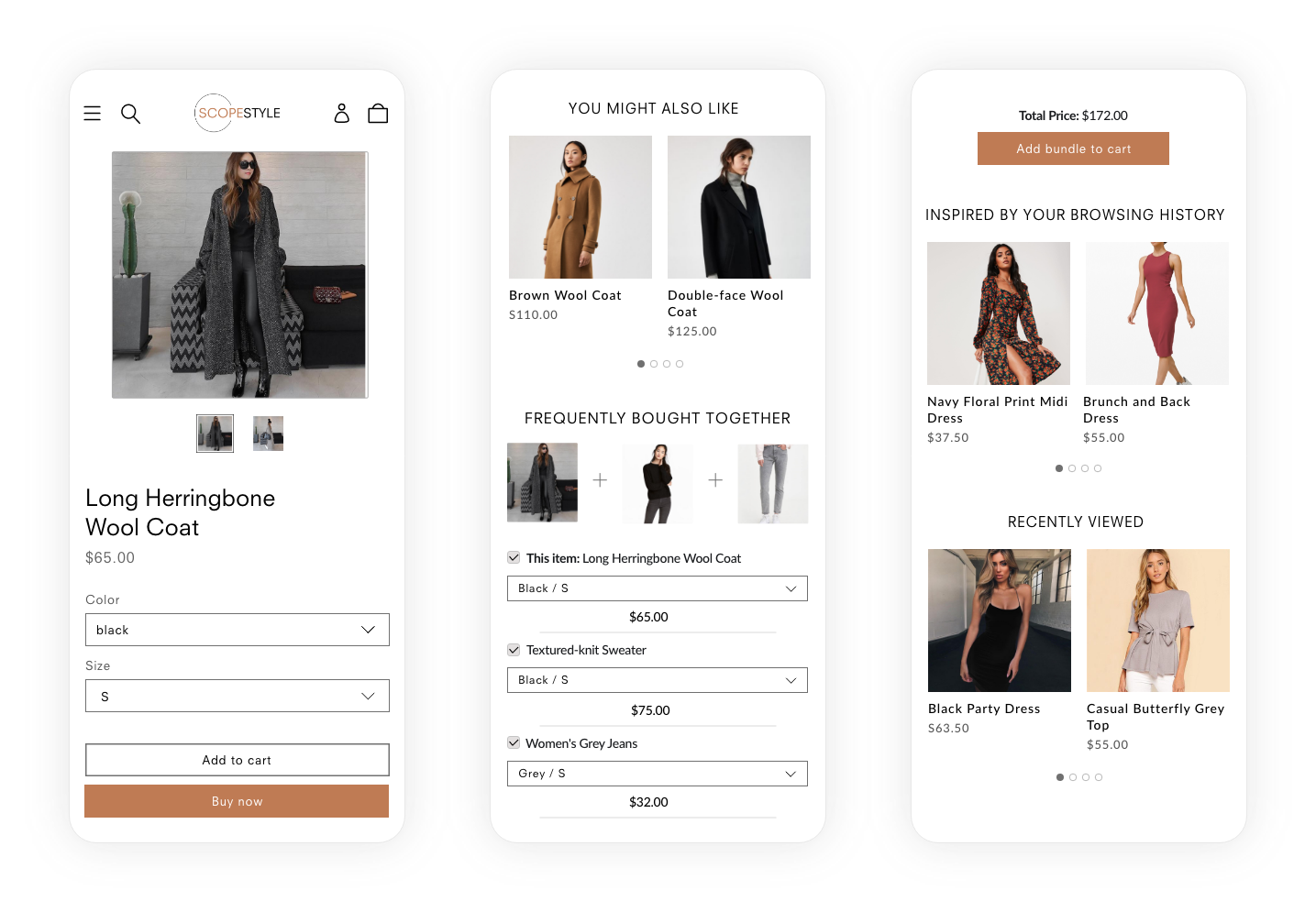
Testing Color Palettes
To identify the color scheme for the site, I tried out different viable color palettes, sought feedback from others, and made the decision based on feedback coupled with the brand's value proposition.

Choosing a Clean & Neutral Palette with a Dash of Light Brown

EVALUATION & ITERATION
Conducting Internal Walkthrough First to Identify Bugs & Issues
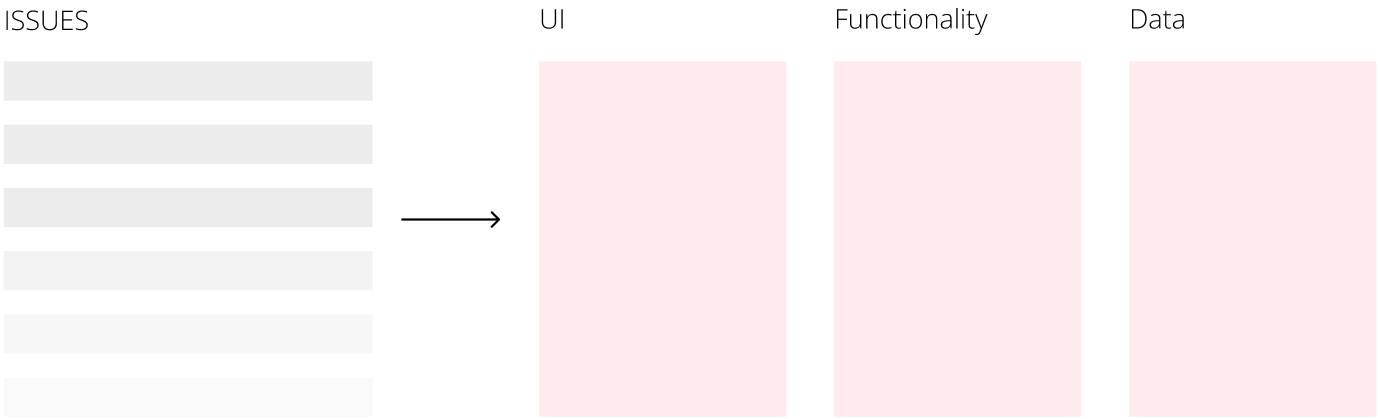
Before conducting user testing, we first conducted an internal walkthrough to identify and fix observable problems before external user testing. We categories the issues into three categories (UI, Functionality, Data) and ranked them based on their importance. This gave the entire team (especially developers) a better picture of what needs to be fixed before attempting to find less observable problems with real users.
User Testing: Triangulating Multiple Methods
We triangulated three evaluation methods of questionnaires, observational study, and interviews to enhance validity and effectiveness of the evaluation.

Surveys to Find Out the "What"
- Online surveys were used to reach a wider pool of users
- Gather more quantitative data to inform the user's attitude toward our solutions.
- We were able to gather feedback from 16 respondents, all female, aged 21-30.

Interviews and Observations to Dive Deeper into the "Why"
- Conducted think-aloud observations followed by semi-structured interviews
- Observe users' feedback in usage context and further understand the "why" behind potential issues or interactions.
- We were able to gather feedback from 6 respondents, all female, aged 19-21.
Results & Design Iterations
#1 Change: Separating Out "Check Your Style" to Differentiate the Website
Through the survey and the interviews, we found that users liked "check your style" the most because they found the feature to be "the most differential and unique aspect about the website".
Users also noted that they liked "check your style" to be separated from "today's inspirations" as it serves a different function than the other contents in the section. Due to this feedback, we decided to move "check your style" to the top of the home page as a separate section from "today's inspirations".

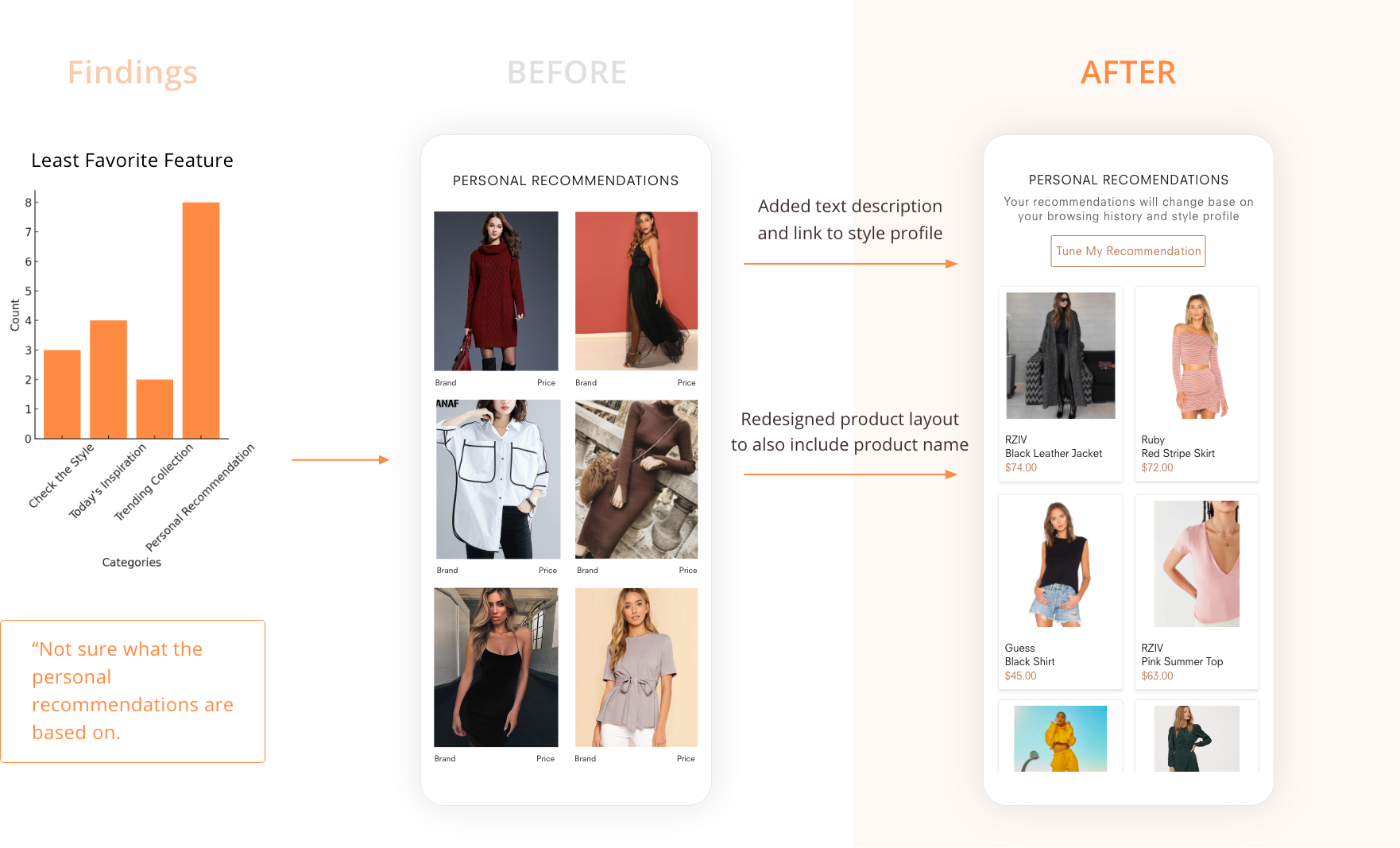
#2 Change: Providing More Clarity to Personal Recommendations
Personal recommendation received the most negative feedbacks from users. A major reason for that is the issue of discoverability in how to customize recommendations. With "Style Profile" buried deep in account, it's difficult for users to recognize how these recommendations are generated. With the new design, we implemented an actionable button directly linking to the user's "Style Profile" with a short text explaining the interaction between style profile and recommendations.
#3 Change: Improving Utility of "Your Style Profile"
Through our user study, the first major problem discovered with the style profile is that novice users don't know what it's for, especially since it is a relatively novel feature. To tackle this issue, we added a short function description of the style profile.
Users also noted that if they know what styles they like, it was an extra step to find photos. To improve this, we implemented style tags where user can add tags of style they like. It also serves the additional purpose of giving feedback to users of what styles the AI is translating their photos into.

Final Delivery
🎉 Shipped the MVP V2 in 2-Months Working With Developers

KEY TAKEAWAYS
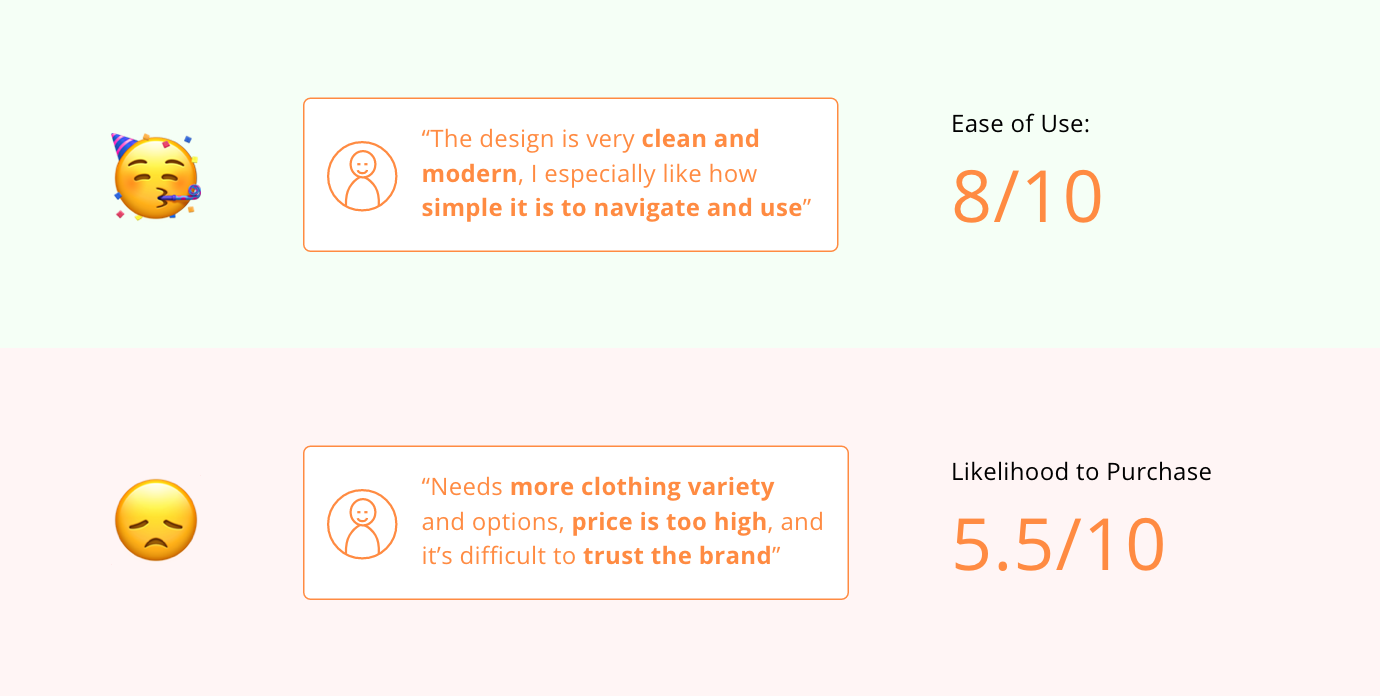
Reflections on the outcome: solved the user problem without solving the business problem
Unfortunately, ScopeStyle did not perform very well in sales despite receiving positive feedback about the site's usability and design. While we were able to successfully solve the user problem, there's a disconnect between the user problem and the business outcome. One important step I failed to advocate for was more validation on the idea itself and whether the pain point was important enough to drive users to purchase from a website.
Always be prepared to "defend" your design
This experience has really made me realize the importance of having strong justification for my design decision. In scrum meetings or brainstorming sessions, presenting your designs will be met with questions and disagreements (oftentimes by someone in a higher position) where providing clear justification is vital. More specifically, some effective ways I've learned are 1) use numbers if you have them, 2) find solutions with similar designs that have proven success, 3) uncover and consider the root reasons behind the feedback against a design decision.
How to work with constraints
Working at a start-up environment where there were numerous time and resource constraints, it was a big contrasts from the perfect scenarios that we are generally used to for school projects. I learned that instead of giving up important steps due to constraints, it's important to be creative to work around the constraints.
Try to make the developer's life as easy as possible
Working with developers on a daily basis has really taught me a few tricks about how to make their lives easier to work as efficiently as possible. 1) involve developers as early as possible can save massive efforts in the long run. 2) Be consistent and specific about annotations. 3) Try to speak in their language when explaining designs. 4) Understand what they have to work with before designing.